Warehouse accuracy sounds simple. Receive the right items, store them in the right place, pick what was ordered, and keep stock levels accurate. In reality, small mistakes compound quickly. A misread label, a rushed pick, or a delayed update can ripple into inventory mismatches, rework, and customer dissatisfaction.
That’s exactly where Odoo barcode workflows begin to change how daily warehouse work actually gets done. Instead of relying on manual typing or paper lists, teams scan products, locations, packages, and commands to drive actions directly in the system. Each scan validates the step before moving forward, helping prevent errors at the source.
If you’re evaluating whether barcode automation fits your warehouse size, process complexity, and growth plans, this guide will help you understand what actually changes on the floor, not just what the software claims to do.
Quick Summary
Odoo barcode enables warehouse teams to scan products, locations, packages, and commands to validate inventory operations efficiently. It reduces manual errors, improves traceability, and standardizes workflows such as receiving, picking, transfers, and inventory counts – improving operational reliability without adding complexity.
Why Warehouse Accuracy Still Breaks Down in Modern Operations
Even disciplined warehouse teams face recurring accuracy challenges:
- Manual data entry errors – Typing SKUs and quantities introduces avoidable mistakes.
- Delayed system updates – Physical movements may occur long before the system reflects them.
- Inconsistent workflows – Different operators follow slightly different routines.
- Training dependency – New staff require time to learn item codes and locations.
- Paper-based execution – Printed lists create lag between action and confirmation.
When inventory data becomes unreliable, the impact spreads across purchasing, sales, planning, and finance. Teams compensate with buffer stock, manual checks, and reactive fixes, all of which increase operating cost and operational stress.
Sustainable accuracy comes from building repeatable warehouse management workflows that remove ambiguity and enforce validation.
What the Odoo Barcode App Actually Does
In simple terms: The barcode app turns scanning into a guided execution layer for warehouse operations.
The barcode app allows warehouse teams to perform inventory actions by scanning instead of manually entering data. Products, storage locations, packages, lot numbers, serial numbers, and even operation types can have barcodes assigned.
When a barcode is scanned, the system identifies what is being referenced and guides the user to the next logical step in the workflow. If the scan does not match the expected item or location, the system prevents confirmation until corrected.
Typical supported actions include:
- Processing incoming receipts
- Picking and delivering outgoing orders
- Moving goods between internal locations
- Performing inventory counts and adjustments
- Handling batch transfers
The interface runs in a browser on scanners or mobile devices, allowing staff to operate directly on the warehouse floor.
Important clarification: Barcode scanning focuses on physical inventory execution. It does not automatically add products to purchase orders or accounting documents without extensions.
What a Typical Barcode-Driven Workflow Looks Like (Step-by-Step)
This simplified flow reflects how most warehouse execution processes operate:
- Open the operation
The operator opens a receipt, picking, transfer, or inventory task. - Scan the location or command
A location barcode or operation barcode identifies where the task begins. - Scan the product or package
The system validates the item against the expected operation. - Confirm quantity or serial details
Quantities, lot numbers, or serial numbers are entered or validated. - Validate the operation
Once confirmed, the inventory movement is posted in the system.
This sequence keeps physical actions synchronized with system records and reduces reliance on memory or manual typing.
Daily Warehouse Workflows with Odoo Barcode
Receiving and Put-Away
Receiving is often where errors begin. Quantities may be miscounted or items placed in incorrect locations.
With barcode scanning, the receiver opens the receipt operation and scans the product barcode. The system validates the product and requests quantity confirmation. The user then scans or selects the destination location.
If the wrong product is scanned, the system blocks the step immediately. Inventory updates occur when the receipt operation is confirmed, keeping records aligned with physical movement.
Picking and Packing
Picking errors commonly occur under time pressure. Similar packaging and repetitive tasks increase risk.
Barcode-guided picking requires each item to be scanned before confirmation. If the scanned product does not match the order line, the system alerts the user. This prevents incorrect items from reaching packing or shipping.
Inventory Counts and Adjustments
Inventory counts are managed through assigned counting tasks. Supervisors create inventory adjustments and assign them to users. The assigned user executes the count using scanning.
Operators can scan a location barcode to count everything stored in that area. Controls support accuracy:
- Assigned counts for accountability
- Location-based counting
- Visibility controls for expected quantities
- Manual scan input for unlabeled items
Discrepancies are reviewed before inventory updates are posted.
Internal Transfers
Scanning both source and destination locations ensures movements are traceable and accurately recorded.
Manual Processes vs Barcode-Driven Workflows
Area | Manual Execution | Barcode Workflow |
Data capture | Typing or paper notes | Automated scanning |
Error detection | Often delayed | Immediate validation |
Stock posting | After manual review | On confirmed operation |
Training effort | Higher | Guided workflows |
Traceability | Limited | Full scan history |
This shift improves ERP inventory accuracy and confidence in reporting.
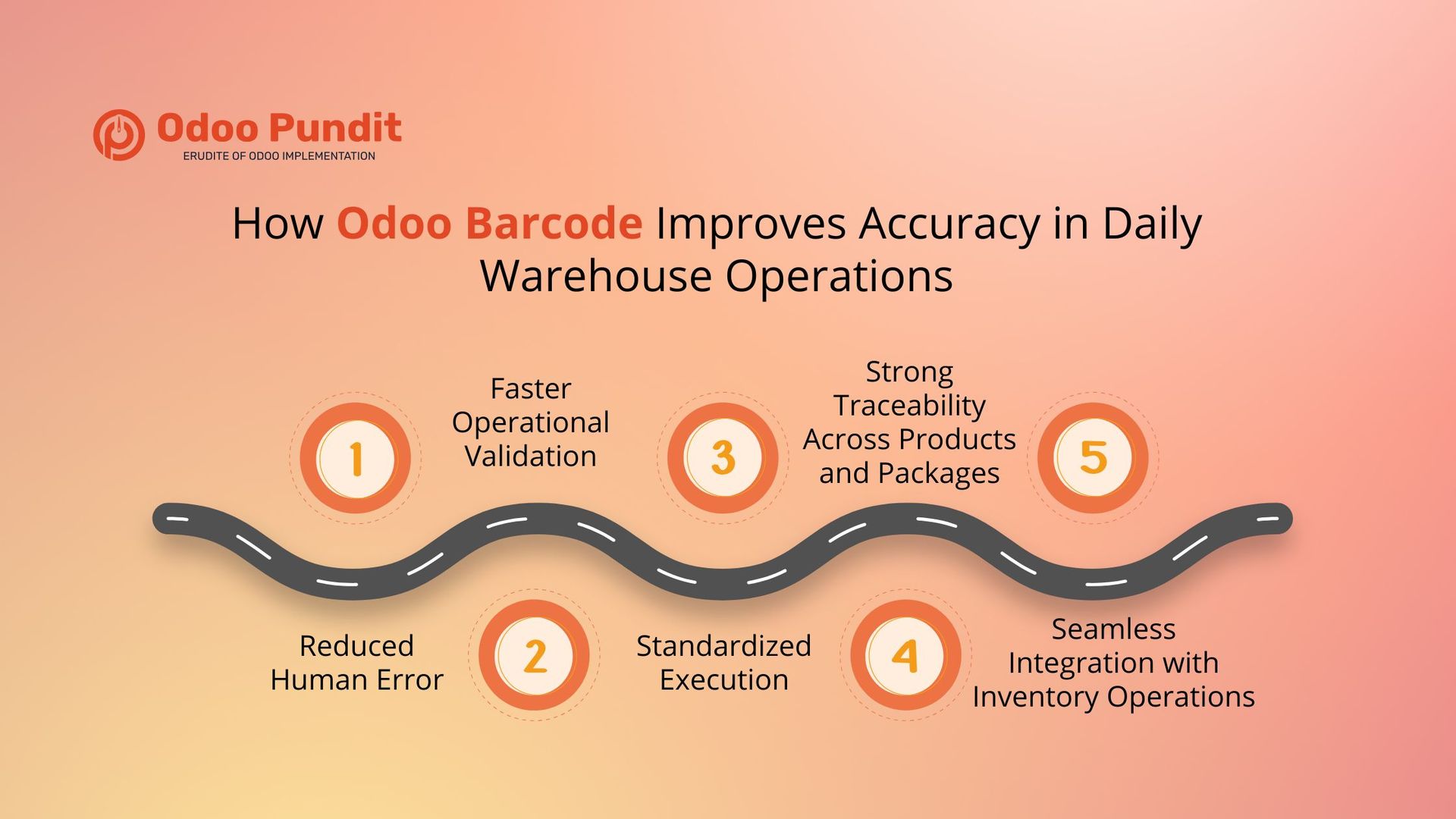
How Odoo Barcode Improves Accuracy in Daily Warehouse Operations
Reduced Human Error
Scanning eliminates transcription mistakes and misinterpretation.
Faster Operational Validation
The system guides users step-by-step, preventing skipped or incorrect actions.
Standardized Execution
Every operator follows the same workflow logic.
Strong Traceability Across Products and Packages
In addition to products and locations, Odoo supports scanning:
- Packages
- Lot numbers
- Serial numbers
This improves inventory traceability and supports quality and audit requirements. Package scanning consolidates shipments, lot scanning supports batch tracking, and serial scanning ensures unit-level control.
Seamless Integration with Inventory Operations
Barcode workflows operate directly inside odoo inventory, keeping physical actions aligned with system records.
Understanding Barcode Nomenclature and Barcode Lookup
In simple terms: Barcode nomenclature defines how the system interprets what each scan means.
Nomenclatures control how different barcode formats are recognized:
- Internal product and location codes
- Structured standards such as GS1
- Custom organizational patterns
Barcode lookup can retrieve product data automatically when scanning unknown UPC or EAN codes, simplifying catalog onboarding and reducing manual entry.
Correct configuration prevents misreads and inconsistent behavior.
Using Operation Type Barcodes and Command Triggers for Faster Navigation
Operation types themselves can have barcodes assigned. Scanning a command barcode can instantly open a workflow.
Common barcode commands include:
- Start a new transfer
- Force a backorder
- Skip moves
- Pack operations
These command labels reduce screen navigation and keep operators focused on physical execution.
Required Setup and Practical Configuration
Successful deployment depends on solid preparation:
- Enable barcode functionality in inventory settings
- Label products, locations, and packages
- Configure barcode nomenclatures
- Validate scanner compatibility and connectivity
- Train users on scanning logic
Organizations often accelerate adoption through structured rollout planning with Odoo implementation services. If advanced workflows are needed, selective enhancements via Odoo customization services may be appropriate.
Barcode workflows still depend on disciplined labeling and consistent process adherence, technology supports accuracy, but operational discipline sustains it.
A Practical Example from the Floor
A distribution operation handling several hundred daily picks struggled with picking errors and delayed reconciliation.
After introducing scanning:
- Pickers scan each item before confirmation
- Incorrect scans are blocked instantly
- Inventory reflects validated movements accurately
- Returns caused by picking mistakes decline
Based on real warehouse implementations, teams typically see meaningful reductions in rework once scanning becomes standard practice.
Final Thoughts
Warehouse accuracy depends on reliable execution. Barcode-driven workflows embed validation into everyday operations, keeping physical movement aligned with system data.
When implemented thoughtfully, Odoo barcode improves consistency, reduces operational friction, and strengthens decision confidence without unnecessary complexity.
If you’re exploring this capability, begin with process clarity and phased adoption — sustainable improvement always comes from operational discipline first.
Want to understand how barcode workflows would fit your warehouse?
Every operation has different volumes, layouts, and accuracy challenges. A brief workflow review can help you see where Odoo barcode delivers the most value and what level of change makes sense for your team.
FAQs
It enables warehouse teams to execute inventory actions such as receiving, picking, transfers, and counting through scanning.
Each scan validates the correct product, package, lot, or location before confirmation.
Yes. Counts are assigned and executed through scanning.
USB scanners, Bluetooth scanners, and mobile device cameras can be used via browser access.
No. Barcode workflows focus on inventory execution unless extended by customization.