Managing multiple retail stores has always been a balancing act. As brands expand, what once worked for one outlet suddenly becomes chaotic across five, ten, or twenty locations. Stock updates no longer stay in sync, customer experiences differ from store to store, and managers spend more time troubleshooting than improving operations.
This is exactly where Odoo for retail has become a game-changer. With retail getting more competitive and customer expectations rising, brands need a system that brings all stores, physical, digital, franchise, or pop-up under one unified platform. Instead of juggling spreadsheets, separate POS tools, and disconnected software, they want everything centralized, automated, and running in real time.
This blog explores how retail brands can simplify multi-store management by using a unified system built for growth. We’ll break down common challenges, how Odoo connects POS, inventory, sales, and operations, and why more retail chains are choosing this platform to scale efficiently.
Why Multi-Store Retail Management Becomes Complex as Brands Grow
Expanding from one store to several is an exciting milestone, but it also brings operational challenges. Many retail businesses realize that the systems that served them well at the beginning are no longer enough to support a growing network of stores.
Some of the most common issues include:
1. Fragmented Data Across Stores
Each store might use its own POS, maintain separate spreadsheets, or update stock differently. Without a unified system, management teams spend hours reconciling numbers instead of making decisions.
2. Out-of-Sync Inventory
When stock data is updated manually, it’s nearly impossible to get real-time accuracy. One store might show an item as available while another marks it as out of stock. This leads to mismatches, delayed orders, and unhappy customers.
3. Slow Visibility for Management
Store managers cannot quickly access sales trends, inventory health, or performance reports. Decisions rely on guesswork rather than actual data.
4. Manual Workload Increases
With every new store added, more manual tasks take over, price updates, discount setups, stock adjustments, and daily closing reports.
5. Inconsistent Customer Experience
Customers expect consistent pricing, stock availability, and service across locations. Without a unified system, even basic things like loyalty points or return policies become complicated.
This is why brands start searching for reliable multi-store retail management software that provides structure, speed, and transparency, without increasing complexity.
How Odoo for Retail Transforms Multi-Store Operations
To run multiple retail outlets smoothly, brands need more than just a POS tool. They need a centralised retail management system that ties everything together, sales, inventory, warehouse operations, staff, and customer data. That’s exactly what Odoo offers.
Unlike fragmented systems, Odoo works as a complete retail ERP for growing brands, giving them a single source of truth for their multi-outlet operations.
Here’s how it streamlines the complexities of multi-store retail:
Unified Platform for All Retail Modules
Retail businesses don’t have to rely on separate tools. Every module, from POS to sales to stock is connected. This is what makes it powerful for operations that need fast, real-time sync.
Unified POS and Inventory: The Backbone of Multi-Outlet Retail Efficiency
One of the biggest strengths of Odoo is its ability to integrate POS terminals with the inventory system. This connection forms the foundation for efficient store operations.
Real-Time Stock Sync Across All Stores
When an item is sold at Store A, the system updates the available quantity across all outlets.
To clarify:
- POS sync is near-real-time when the system is online
- If POS operates in offline mode, the sync happens automatically once the internet connection is restored
This ensures accurate planning, better forecasting, and fewer mismatches.
In addition, Odoo POS supports employee PIN and badge authentication, making it easier for staff to move between stores while maintaining secure and trackable access.
This natural integration also supports:
- Fast billing
- Centralized product and price updates
- Unified loyalty and promotions (configured through the Sales Promotion & Loyalty module)
- Cross-store returns
- Real-time stock tracking software visibility
Store-to-Store Inventory Transfers Made Simple
Transfers are a major part of multi-store retail, especially for fashion, electronics, and lifestyle brands. Odoo makes this seamless through:
- Automated transfer requests
- Approval workflows
- Live tracking of items in transit
- Store-level receipt confirmations
With these features, brands no longer need manual registers or messaging apps to manage store transfers. Everything flows through a system that acts as a SKU management system with clear tracking.
Odoo Stock Management: Centralized Control for Multi-Location Retail
Inventory management is often the biggest struggle for multi-outlet brands. Odoo simplifies this through automation and visibility.
Automated Reordering Rules
Smart reorder levels ensure that stores never run out of popular items. Based on sales trends or minimum stock levels, the system triggers replenishment automatically.
Note: For deeper, advanced forecasting such as AI-driven demand prediction, seasonal analysis, or complex retail analytics, some brands use additional modules or light configurations through Studio. This gives more tailored forecasting capabilities when required.
Barcode & Warehouse Tools for Faster Operations
With built-in barcode capabilities, store staff can perform operations faster:
- Stock receipts
- Cycle counts
- Putaway operations
- Transfers
- Shelf adjustments
Behind the scenes, Odoo ties all this together as part of an efficient Odoo stock management workflow.
Odoo Multi-Outlet Management: Complete Oversight for Retail Chains
Scaling requires control, and Odoo provides exactly that.
Centralized Product Catalogs
Create once, use everywhere. Product updates reflect instantly across every POS terminal and every store.
Unified Promotions and Pricelists
Promotions, discounts, offers, and loyalty rules are configured using the Sales Promotion & Loyalty module.
This ensures consistency across locations while still allowing store-level customization.
Centralized Retail Dashboard
Decision-makers get a complete view of the business:
- Top-selling items
- Low-stock alerts
- Profitability by store
- Staff performance
- Daily revenue breakdown
This gives leaders a real-time view without waiting for nightly reports.
Unified Commerce & Omnichannel Retail
Modern consumers shop across multiple touchpoints—physical stores, online stores, and social platforms. Odoo enables brands to bring these together through a unified commerce system.
How Odoo Connects POS, Inventory, and Sales
Whether a customer buys online or in-store, the brand gets:
- Synchronized inventory
- Unified customer profiles
- Shared loyalty points
- Cross-channel promotions
This minimizes discrepancies and improves customer trust.
Online + Offline Integration Made Seamless
Because all data flows into one system, brands can offer:
- Click-and-collect
- Buy online, return in-store
- Online visibility of store stock
- Unified catalog across channels
This creates the consistency that shoppers expect.
Benefits of Using Odoo for Multi-Outlet Retail Brands
Brands choose Odoo for several reasons, especially when dealing with multiple stores.
1. Real-Time Business Visibility
Executives and store managers can see what’s happening across all outlets at any time.
2. Reduced Manual Work
Automation handles routine tasks like:
- Purchase order creation
- Stock level updates
- POS synchronization
- Reporting
This drastically reduces administrative effort.
3. Better Stock Accuracy
By automating stock movements and syncing POS with inventory, brands avoid mismatches.
4. Consistent Customer Experience
When pricing, offers, and product information are unified, customers get a consistent brand experience.
5. End-to-End Retail Operations Automation
From procurement to sales, every step is connected.
For brands seeking deeper enhancements, this is usually when they consider tailored Odoo implementation to optimize processes.
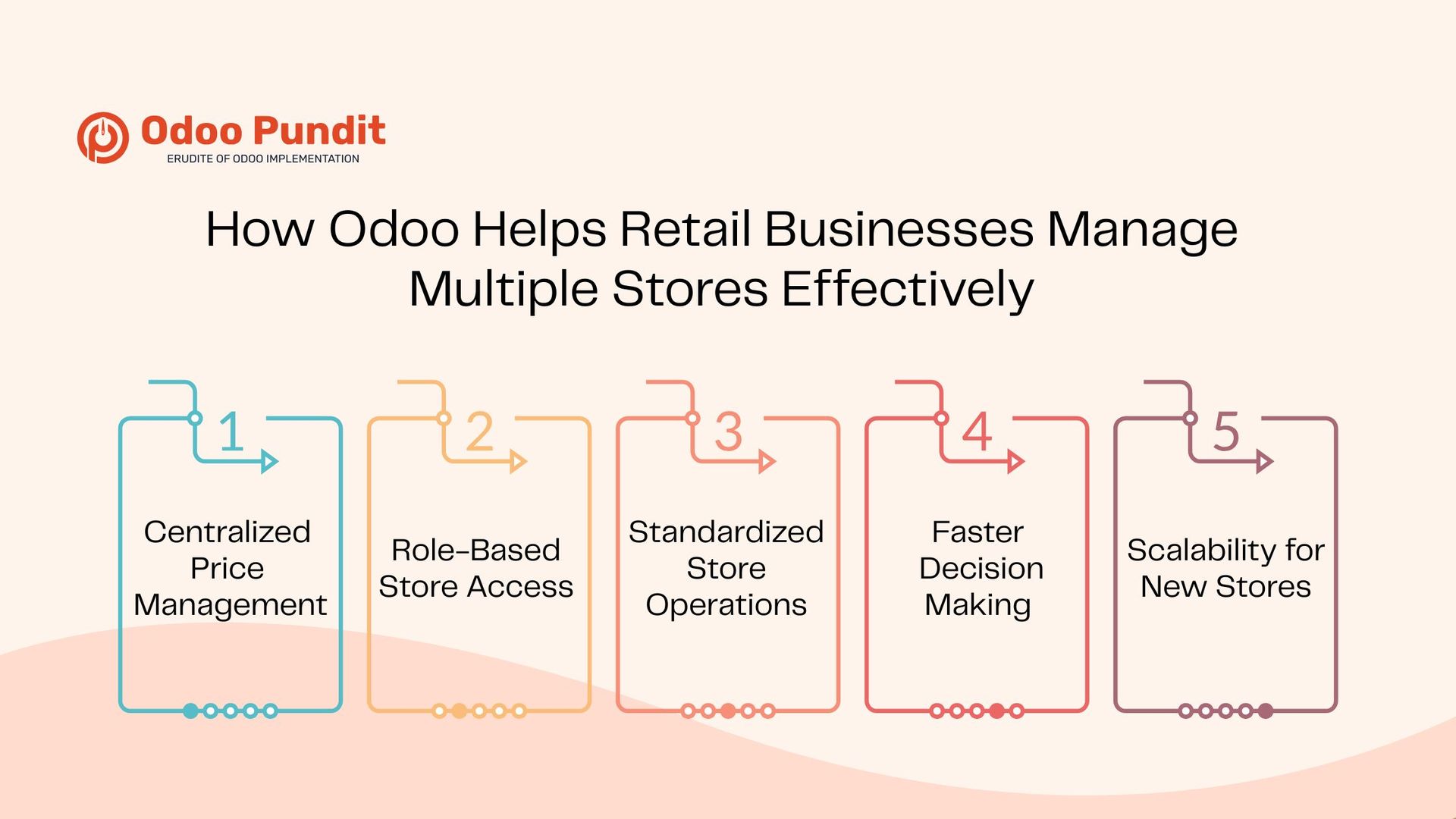
How Odoo Helps Retail Businesses Manage Multiple Stores Effectively
Retail brands across categories rely on Odoo’s connected ecosystem to simplify operations.
Some practical examples include:
Centralized Price Management
Instead of updating prices store-by-store, brands can manage everything centrally.
Role-Based Store Access
Users can be assigned specific access levels, cashiers, store managers, accountants, procurement teams.
Standardized Store Operations
Returns, refunds, discounts, and closing shifts follow the same structure across all locations.
Faster Decision-Making
With live analytics, brands can identify bestsellers and slow-moving products.
Scalability for New Stores
New outlets can be replicated quickly based on existing configurations.
As brands grow further or require specialized workflows, many invest in Odoo customization services to adapt the system to unique needs.
Step-by-Step Overview: How Multi-Store Setup Works in Odoo
Here’s how the multi-store setup typically unfolds:
- Create store locations and warehouses
Each outlet gets its own stock location and POS configuration. - Assign inventory routes
Define how items move from central warehouses to stores. - Configure POS terminals
Link pricing, promotions, loyalty, and receipts. - Enable stock rules
Set auto-replenishment triggers for smart restocking. - Sync catalog and pricing
Ensure all stores get updated product and price details instantly. - Activate centralized reporting
Enable dashboards to track performance across outlets.
This structure gives brands flexibility even as they expand rapidly.
Why Retail Brands Choose Odoo ERP Over Other Systems
Retail chains often compare Odoo with standalone POS systems or traditional ERP solutions. The reasons they choose Odoo include:
- It brings POS, inventory, sales, accounting, purchasing, and CRM together.
- It reduces software costs.
- It’s flexible and intuitive for store teams.
- It scales easily.
- It supports unified commerce.
It offers full enterprise-grade capabilities without the complexity.
Final Thoughts: Odoo for Scaling Retail Operations
Retail brands today need more than a POS; they need a system that connects every part of their operations. As businesses grow from a single store to a network of outlets, managing everything manually becomes impossible.
This is where Odoo provides real value: a unified platform that supports integrated POS and inventory, real-time stock visibility, connected sales channels, and seamless store-to-store coordination.
Ready to simplify multi-store retail with Odoo?
Talk to our experts and see how your stores can run as one.
FAQs
It provides real-time stock updates, automated reordering, barcode workflows, and centralized reporting.
Yes. It offers fast billing, offline mode, loyalty programs, and synchronized POS operations.
Yes, with complete tracking from requests to confirmations.
Yes. It connects POS and eCommerce for features like click-and-collect and unified catalogs.
Absolutely. It scales smoothly whether a brand has two stores or twenty.