Every growing sales team knows this problem too well: customer emails arrive all day long but turning them into real sales actions still takes time. Someone has to read the message, understand the request, create a lead, and sometimes prepare a quotation. As volumes grow, delays creep in, follow-ups slip, and opportunities quietly disappear.
This is where the idea to create Odoo leads and quotations automatically from customer emails becomes powerful. Done right, it reduces manual work, improves response times, and helps sales teams focus on conversations not data entry.
In this guide, we explain how this approach works in practice, what problems it solves, and what businesses should consider before automating their email-to-sales workflow.
What does it mean to create Odoo leads and quotations automatically from customer emails?
At a practical level, it means turning incoming customer emails such as pricing requests, product inquiries, or repeat orders into structured records inside Odoo with minimal manual effort.
Instead of copying information from emails into the CRM or Sales module, the system:
- Evaluates the email based on predefined rules or AI-supported logic
- Creates or updates a lead in the CRM
- Links the message to the correct customer record
- Prepares a draft quotation when appropriate
The sales team then reviews the details, makes adjustments if needed, and sends the quotation often within minutes of the customer reaching out.
Why businesses need email-to-sales automation
Most SMEs and mid-market companies still rely heavily on email as their primary customer touchpoint. Yet email is also where many sales processes break down.
Common challenges include:
- Leads sitting in inboxes instead of moving into the sales pipeline
- Slow response times during peak inquiry periods
- Inconsistent or incomplete CRM data
- Quotation requests buried in long email threads
At Odoo Pundit, we see that these issues rarely come from weak sales teams. They come from systems that depend too much on manual handling. Email-to-CRM automation helps teams stay responsive, consistent, and organized, even as inquiry volumes grow.
How Odoo handles customer emails today
In Odoo 19, businesses can combine email aliases, automated actions, and workflow rules to create sophisticated lead capture systems without heavy customization. More advanced scenarios — such as interpreting complex requests or generating quotations from unstructured emails — may require additional development or AI integration.
Odoo already provides a solid foundation for handling customer emails. Incoming messages can be routed into the CRM or Sales apps using email aliases and internal rules. This works well for basic lead capture, especially when customers write to addresses like sales@ or info@.
Where things become more complex is interpretation. Standard Odoo setups can capture, route, and process emails automatically using aliases, assignment rules, and automated actions. While these tools handle structured workflows very effectively, interpreting complex or ambiguous requests still requires human review or advanced customization. For example:
- Is the email a new inquiry or a follow-up?
- Is it a pricing request or a general question?
- Does it require a quotation or just a response?
Handling this level of interpretation typically requires custom logic or AI-based extensions beyond standard Odoo configuration.
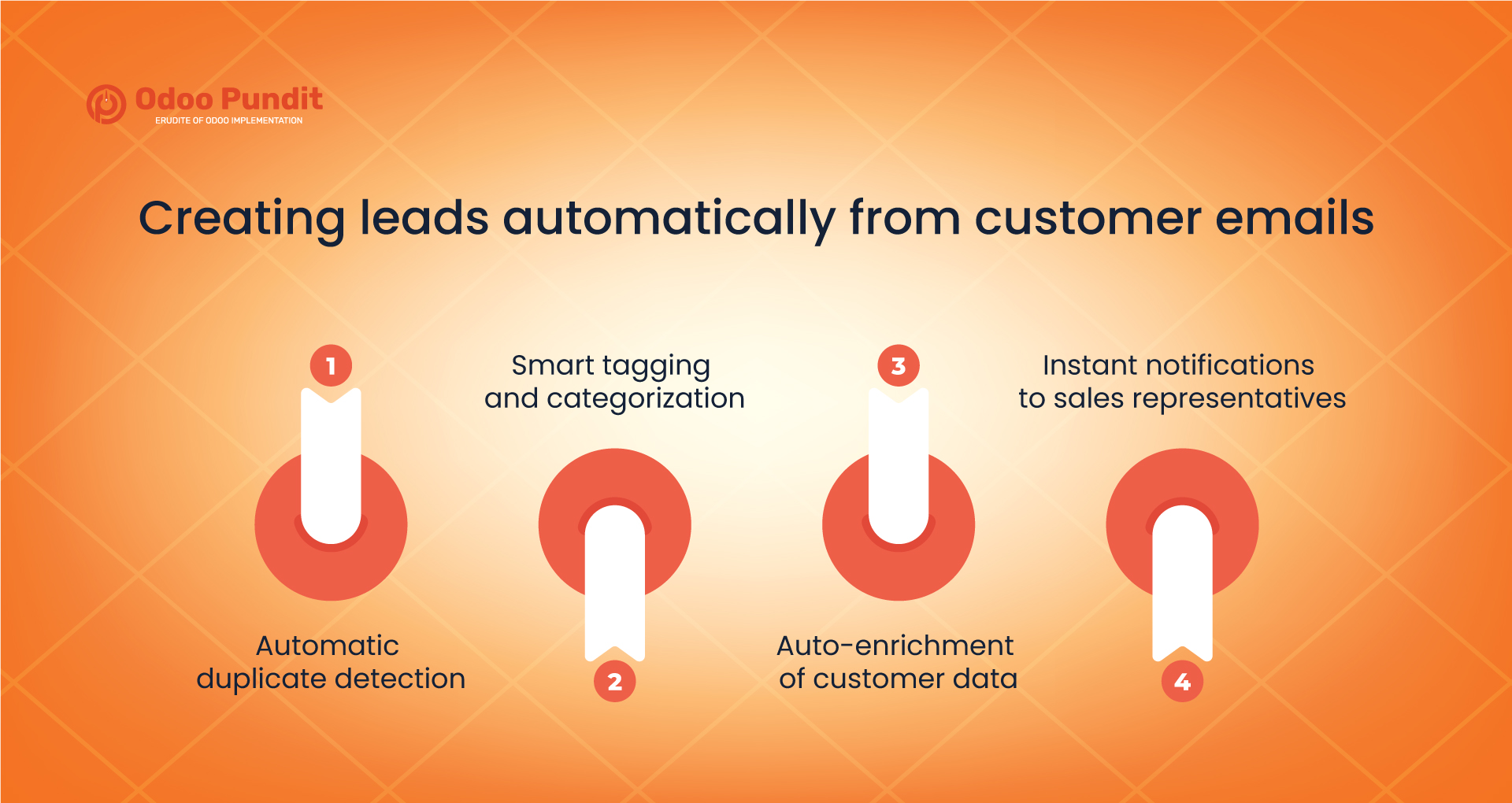
Creating leads automatically from customer emails
The first layer of automation focuses on lead creation.
Emails can be evaluated using:
- Sender details
- Subject line patterns
- Predefined routing or automation rules
These rules can be extended further with custom logic when needed. Based on this evaluation, the system can:
- Create a new CRM lead
- Link the email to an existing customer
- Assign the lead to the right sales team
- Set priority or pipeline stage
Additional capabilities that strengthen lead automation include:
Automatic duplicate detection
The system can check whether a similar lead or opportunity already exists for the same customer, preventing clutter and confusion in the pipeline.
Smart tagging and categorization
Leads can be tagged based on product interest, region, industry, or inquiry type, helping teams filter and prioritize opportunities more effectively.
Auto-enrichment of customer data
Information such as company name, phone number, or location can be extracted from email signatures and stored in the CRM record to reduce manual data entry.
Instant notifications to sales representatives
Assigned team members can receive alerts or tasks as soon as a qualified inquiry arrives, ensuring rapid follow-up while customer interest is highest.
Automatically generating quotations from emails
Automatically generating quotations takes email-to-sales automation a step further.
For example, a customer might email:
“Please quote 50 units of Product A with delivery next month.”
A well-designed automation flow can:
- Detect the product request (when the email follows a recognizable or structured pattern, or when AI-based parsing is used)
- Match the request with the correct customer
- Apply the appropriate pricelist and commercial terms
- Create a draft quotation inside Odoo
The sales representative simply reviews the quotation and sends it out.
This is done using an LLM connected to Odoo. The system reads and interprets the email content instead of relying only on fixed rules.
This capability is not part of standard Odoo functionality and requires integrating a Large Language Model (LLM) with Odoo.
Where this approach adds real value
Not every email should result in an automatic quotation. Automation delivers the most value when applied thoughtfully.
Strong use cases include:
- Repeat customers with clear ordering patterns
- Standardized product or service requests
- High email volumes that slow manual sales processing
More complex or negotiable deals still benefit from human review, which is why most implementations generate draft quotations rather than final ones.
Key risks and how to avoid them
Before implementing this workflow, it’s important to understand the risks.
Over-automation
Not every email is clear. Safeguards are needed to prevent incorrect or premature quotations.
Duplicate records
Weak matching logic can result in multiple leads for the same customer.
Loss of sales context
Automation should support sales teams, not replace their judgment.
Security considerations
Public email addresses such as sales@ may receive spam or automated messages. Proper filtering, validation rules, and access controls are necessary to prevent unwanted records from entering the CRM.
A practical checklist before going live
- Define which emails qualify for automation
- Add review steps before quotations are sent
- Test the workflow using real customer emails
- Monitor results and refine rules regularly
How this fits into broader operations
Email-driven automation does not exist in isolation. It often connects closely with purchasing, approvals, and vendor workflows.
For example:
- A sales quotation may trigger a purchase request
- Pricing may require internal approval
- Vendor availability can affect promised delivery dates
This is where thoughtful Odoo implementation planning becomes critical. Automation should reflect real operational processes, not just technical possibilities.
Key takeaways
- Odoo can natively capture and route customer emails into CRM and Sales
- Advanced interpretation of email content requires AI or custom logic
- Draft quotations should always be reviewed before sending
- Email-to-sales automation works best for repeatable, structured requests
Final thoughts
Automating how emails turn into leads and quotations is not just about speed. It’s about consistency, visibility, and giving sales teams the space to do meaningful work.
When implemented carefully, the ability to create Odoo leads and quotations automatically from customer emails becomes a quiet advantage. Customers receive faster responses, teams stay organized, and growth feels more manageable.
If you are exploring this path, start small, test with real scenarios, and build automation that supports people rather than replacing them. That balance is where long-term value lives.
Not sure if customer emails are turning into real sales opportunities?
See how email-to-CRM automation in Odoo can help your team respond faster and stay on top of every inquiry.
Frequently Asked Questions
Odoo can receive customer emails through email aliases and link them to the CRM or Sales app for tracking and follow-up.
Yes. Odoo can create leads from incoming emails using aliases and basic rules.
Website may use cookies to personalize and facilitate maximum navigation of the User by this site. The User may configure his / her browser to notify and reject the installation of the cookies sent by us.
Yes, Draft quotations can be generated automatically when the system can reliably identify the customer, products, and pricing rules. This may be achieved through structured requests, templates, or custom automation.
Repeat orders, standard product inquiries, and clearly written pricing requests work best.
Yes. Odoo does not natively interpret complex free-text intent, although structured workflows and optional AI features can extend this capability.
It usually enhances existing workflows by reducing manual data entry, while sales teams continue to review and manage deals.