As businesses grow, customer and internal support requests often increase faster than teams expect. What once felt manageable through shared inboxes or informal tracking can quickly become overwhelming. Tickets get missed, response times slip, and support teams spend more time reacting than resolving.
This guide explains how Odoo helpdesk manages growing ticket volumes in real business environments, focusing on workflows, SLAs, reporting, and visibility—without overstating what the system can or cannot do. It’s written for teams evaluating whether Odoo Helpdesk can scale with their support operations.
Why Growing Support Volumes Break Traditional Support Setups
Before teams reach for a helpdesk tool, most start with email.
That approach works—until volume increases.
Why do support requests become harder to manage as volume grows?
As ticket numbers rise, four common problems appear:
Disconnected channels and lost context
Requests arrive through email, website forms, or live chat. Without a central system, conversations fragment, and agents lose visibility into past interactions.
No clear prioritization
Without structured response expectations, urgent tickets compete with routine requests, leading to inconsistent service.
Manual coordination and follow-ups
Support often depends on other teams. Email-based coordination makes progress hard to track and easy to forget.
Team overload
As demand grows, managers spend more time chasing updates than improving the support process itself.
These are structural problems—not staffing problems—and they require structural solutions.
What Is Odoo Helpdesk and How Does It Fit into Odoo?
Odoo Helpdesk is a ticket-based support application designed to organize, track, and analyze support requests at scale.
It sits within Odoo’s services ecosystem and works best when support is treated as an operational process rather than an ad-hoc task.
In practice, Odoo Helpdesk allows teams to:
- Collect tickets from multiple channels
- Manage the full ticket lifecycle through defined stages
- Assign work to specific teams
- Track response performance using SLAs
- Analyze support trends over time
Because it is part of Odoo, tickets can reference customers, products, or internal users, giving agents more context without switching systems.
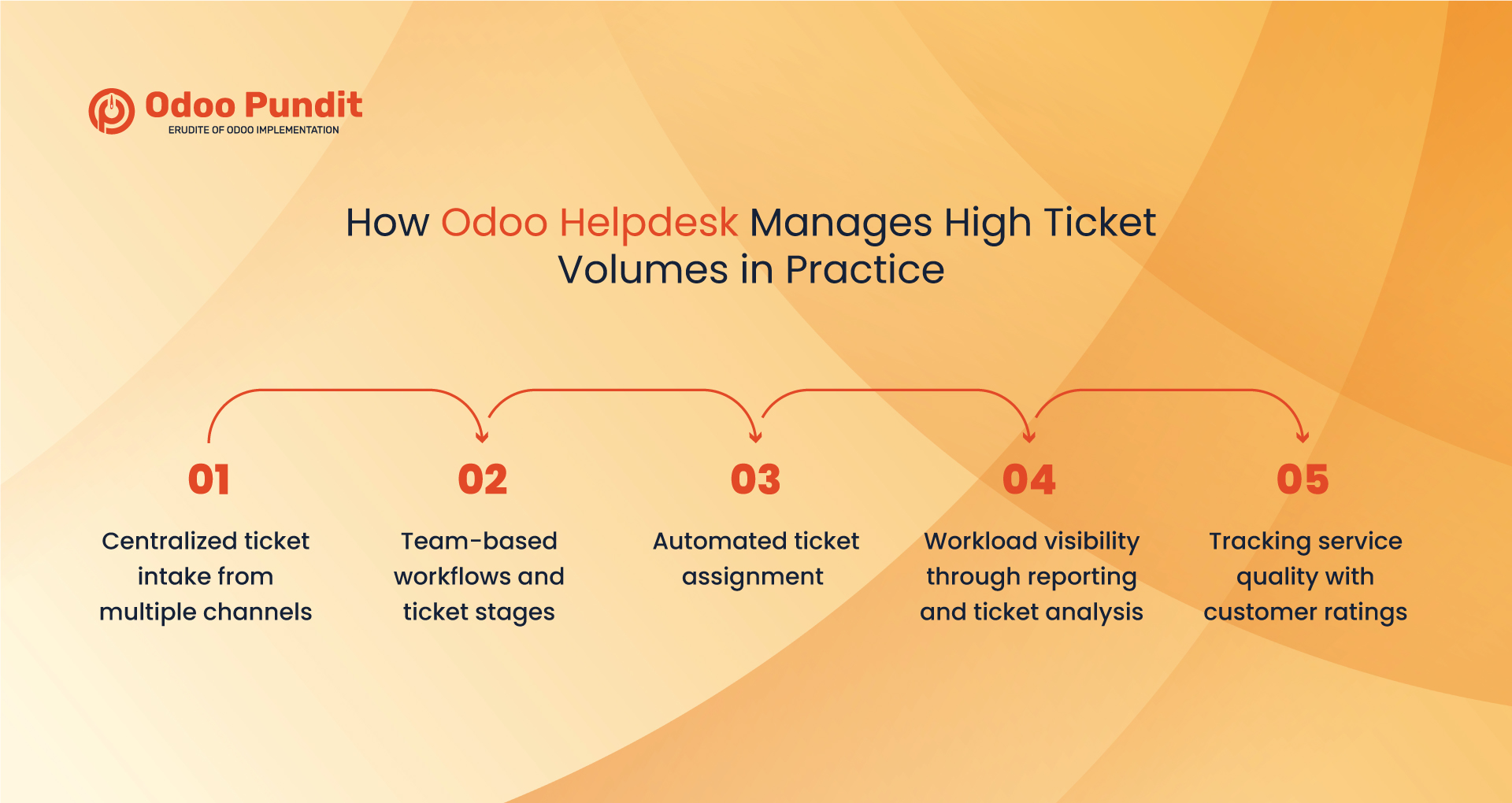
How Odoo Helpdesk Manages High Ticket Volumes in Practice
Odoo Helpdesk manages high ticket volumes by centralizing requests, enforcing structured workflows, tracking service levels, and providing visibility into workload and performance.
Here’s how that works in real-world usage.
Centralized ticket intake from multiple channels
Odoo Helpdesk consolidates tickets from email, website forms, and live chat into a single pipeline. Live chat support requires installing and enabling the Live Chat application within the Helpdesk team configuration.
Once configured, every request becomes a ticket with:
- A clear owner
- A defined stage
- A complete communication history
This prevents requests from being lost or duplicated as volumes increase.
Team-based workflows and ticket stages
Support teams can be organized by function, such as customer support, technical support, or internal service desks. Each team defines its own ticket stages, creating a consistent workflow.
As ticket volumes grow, these structured pipelines reduce guesswork and ensure requests move forward in a predictable way.
Automated ticket assignment
Odoo Helpdesk supports automatic ticket assignment based on predefined criteria such as team or channel.
This helps ensure:
- Tickets are routed quickly
- Workloads are balanced more evenly
- Manual sorting doesn’t become a bottleneck during peak periods
Workload visibility through reporting and ticket analysis
When support teams manage dozens or hundreds of tickets, visibility becomes essential.
Odoo Helpdesk includes reporting views such as Tickets Analysis, which show:
- Ticket volume trends
- Team and agent workloads
- Common issue categories
These insights help managers identify bottlenecks, rebalance workloads, and improve processes based on actual data rather than assumptions.
Tracking service quality with customer ratings
As ticket volumes increase, service quality can suffer if it isn’t measured.
Odoo Helpdesk includes customer rating features that allow users to provide feedback after a ticket is resolved. Over time, these ratings help teams:
- Monitor customer satisfaction trends
- Identify recurring service issues
- Improve workflows before problems escalate
How Do SLAs Help Control Response Times?
Service Level Agreements (SLAs) are one of the most important tools for managing high ticket volumes.
Odoo Helpdesk allows teams to define SLA policies that set response or resolution expectations based on ticket priority or type. These SLAs are tracked automatically as tickets move through stages.
Support managers can clearly see:
- Tickets approaching SLA deadlines
- Tickets that exceed response targets
- Patterns where delays commonly occur
This creates accountability and consistency—even as volume grows.
How Automation and Self-Service Reduce Support Load
Not every ticket requires manual handling. Odoo Helpdesk reduces pressure on support teams through targeted automation and self-service features.
How does automation work in Odoo Helpdesk?
Automation in Helpdesk is primarily driven by:
- SLA conditions
- Ticket stage transitions
This allows for notifications and status changes without relying on a separate automation engine.
How does self-service reduce incoming tickets?
Each Helpdesk team can enable a Help Center, where customers access knowledge articles before submitting a ticket. In some setups, structured learning content can also be included.
By addressing common questions upfront, teams reduce repetitive requests and free agents to focus on more complex issues.
How Does Odoo Helpdesk Support Internal Collaboration?
Many support tickets require coordination with other departments.
Odoo Helpdesk does not natively create purchase orders, vendor workflows, or approval chains, but it serves as a central reference point when other Odoo applications are installed.
For example:
- Tickets can reference specific products
- Support teams can check stock availability through odoo inventory
- Purchasing and vendor actions are handled in the relevant business apps
With appropriate setup through Odoo implementation services, Helpdesk supports collaboration without overstating its native scope.
Are approvals handled inside Helpdesk?
No. Odoo Helpdesk does not include a built-in approvals engine. Approval workflows belong to other Odoo applications or require configuration using Odoo Studio.
Helpdesk provides visibility and traceability, while approvals happen elsewhere.
How Does the Customer Portal Improve Transparency?
Odoo Helpdesk supports customer interaction through a portal where users can:
- View submitted tickets
- Track ticket progress
- Communicate with support teams
Portal access and visibility depend on Helpdesk team settings. In some configurations, customers can also close their own tickets once resolved.
Who Is Odoo Helpdesk Best Suited For?
Odoo Helpdesk works best for organizations that:
- Experience steadily increasing support volumes
- Manage multiple support or internal service teams
- Need clear response time tracking
- Prefer integrated systems over disconnected tools
It is especially effective when support is treated as a structured process, not just an inbox.
When Does Odoo Helpdesk Make More Sense Than Standalone Tools?
Standalone ticketing tools can work at low volumes, but they often struggle as complexity increases.
Odoo Helpdesk becomes a stronger choice when:
- Support requires business context
- Teams want fewer systems to manage
- Long-term scalability matters
With thoughtful setup and selective use of Odoo customization services, it adapts to real operational workflows.
Key Takeaways
- Odoo Helpdesk manages high ticket volumes through structure, not shortcuts
- SLAs, reporting, and workflows create predictability at scale
- Automation and self-service reduce repetitive workload
- Integration provides context without overpromising functionality
Final Thoughts
Growing support volumes don’t have to lead to growing frustration.
With clear workflows, measurable response expectations, workload visibility, and customer feedback loops, Odoo Helpdesk helps teams stay in control as demand increases. It turns support into a transparent, manageable process that scales with the business.
If your team is feeling stretched, it may be time to assess whether your current setup is built for growth or simply coping with it.
FAQs
Yes. Odoo Helpdesk manages higher ticket volumes by centralizing requests, applying structured workflows, and tracking response times through SLAs.
Every request becomes a tracked ticket with an owner, stage, and history. Automated assignment and SLA monitoring help ensure nothing is overlooked.
Yes. Many teams use Odoo Helpdesk for internal services like IT or operations, using the same ticket workflows and response tracking.
Built-in reports show ticket trends, workloads, and common issues, helping managers spot bottlenecks and balance work more effectively.
Yes. Customers can view and respond to tickets through the portal, depending on team visibility and configuration settings.
Yes. Its structured workflows, SLA tracking, and reporting make it suitable for growing teams that need consistent support processes.