Most organizations today run daily operations using multiple systems different tools for accounting, CRM, HR, helpdesk, inventory, projects, and marketing. While each tool may solve a specific problem, together they create a far bigger one: scattered, inconsistent, and unreliable data.
Teams often spend more time reconciling spreadsheets and searching for missing information than making decisions. It’s inefficient, costly, and creates gaps between departments. This is why many businesses are moving to Odoo ERP as their single source of truth, a unified business platform where every department works from the same accurate, real-time information.
Odoo’s latest version, including the upgrades introduced in Odoo 19, strengthens this approach with better performance, an improved UI, enhanced automation capabilities, and more consistent data validation. With the right setup and governance, Odoo becomes a dependable foundation for business intelligence, forecasting, and efficient operations.
This blog explores how Odoo helps organizations build clean, actionable business data and why establishing a single source of truth is no longer optional in modern business environments.
What a Single Source of Truth Means for Modern Business Data
A single source of truth (SSOT) is an environment where all operational data customers, products, stock, employees, finances, projects, and more lives in one unified system. There are no duplicate entries, multiple versions of the same record, or hidden spreadsheets. Everyone works with one version of the truth.
This matters because fragmented information makes it difficult to operate efficiently. It leads to errors, inconsistent reporting, and slow decision-making.
A strong SSOT approach helps businesses ensure:
- A trustworthy business data repository
- Real-time visibility across all teams
- Clean data for business intelligence and reporting
- Consistent, standardized processes company-wide
- A foundation for automation and digital transformation
Achieving SSOT is not just about the software, it also requires consistent setup, disciplined data entry, and good governance. But with the right conditions, Odoo is one of the strongest platforms to support it.
Why Odoo ERP Is the Ideal Platform for Unified, Clean Business Data
Many platforms claim to be “all-in-one,” but still rely heavily on external connectors or modules that often break or become misaligned over time. Each connector introduces a risk of mismatch or human error.
Odoo takes a different approach.
All core applications, Sales, CRM, Inventory, Accounting, HR, Manufacturing, Projects, and more run on a single, shared PostgreSQL database. This integrated architecture allows Odoo to function as a true Odoo unified data platform, reducing dependency on third-party syncing tools for internal workflows.
This means:
- Customer data remains consistent across CRM, invoices, and support
- Product information is identical in sales, warehouse, and manufacturing modules
- Financial entries originate from real operational transactions
- Inventory updates automatically when orders progress
This native integration greatly reduces data silos and ensures reliable, centralized business information. With proper configuration and controlled customizations, Odoo becomes a sustainable Odoo ERP data single source for your entire organization.
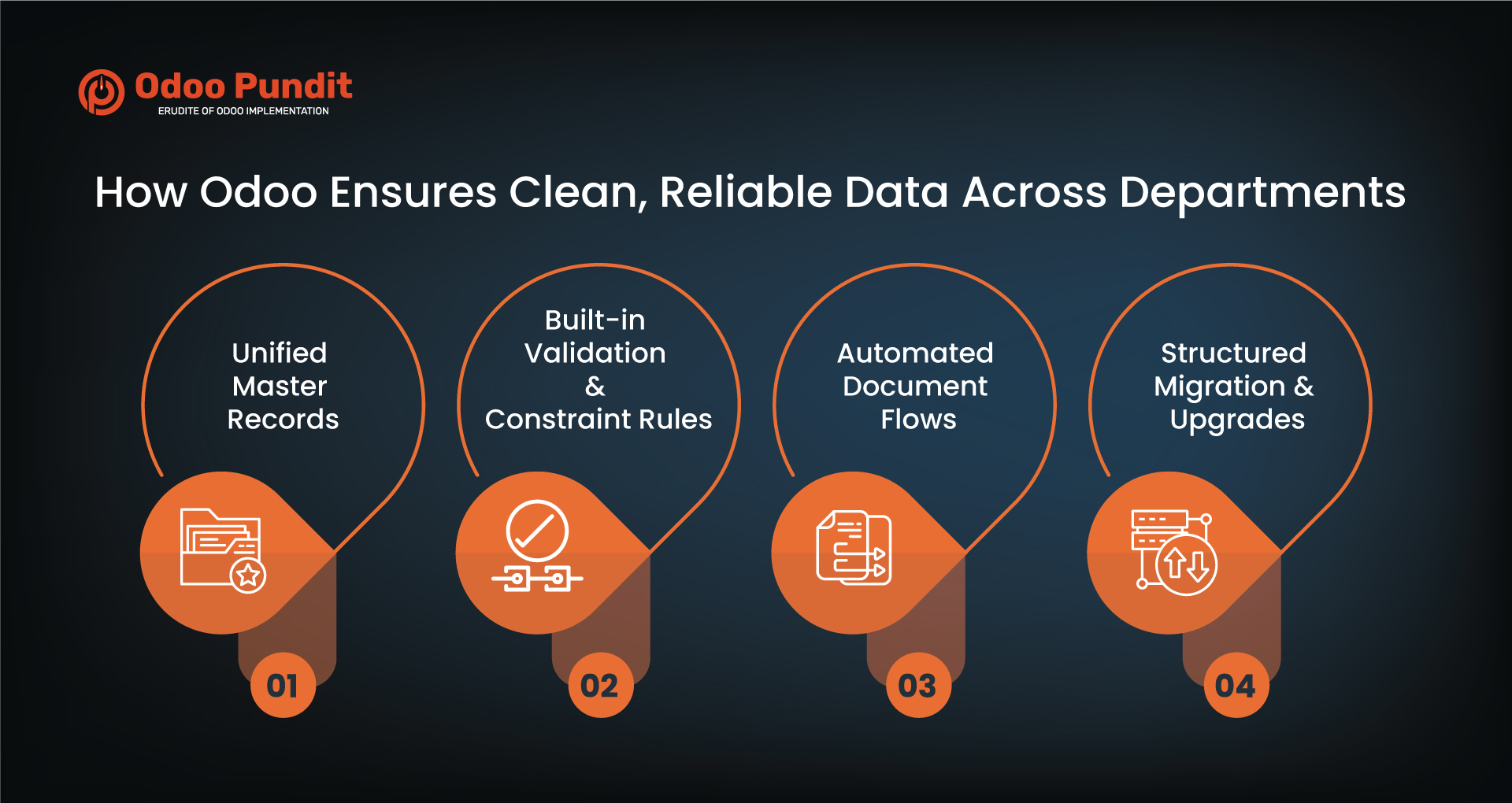
How Odoo Ensures Clean, Reliable Data Across Departments
Odoo maintains consistent data quality through its structured ORM (Object Relational Mapping) layer, standardized models, and built-in validation logic. Recent versions introduced improvements in database performance, form views, data validation, and access rules.
Here’s how Odoo keeps information clean:
1. Unified Master Records
Customer, vendor, product, employee, and accounting master data is shared across all modules. This ensures enterprise data standardization without duplicate records.
2. Built-in Validation & Constraint Rules
Odoo uses:
- Required fields
- Onchange validations
- Python constraints
- Default values
These reduce incomplete or incorrect entries across departments.
3. Automated Document Flows
Sales orders create delivery orders and invoices automatically. Manufacturing orders connect to quality checks and work orders. These flows remove the need for manual updates and maintain consistency.
4. Structured Migration & Upgrades
Odoo supports data-clean migration paths. While heavy customizations may require extra work, standard deployments upgrade cleanly, preserving data integrity.
Together, these features make Odoo a powerful platform for Odoo master data management and long-term data clarity.
Practical Use Cases: Odoo as a Single Source of Truth in Real Operations
1. Sales + Inventory + Accounting
When a sales order is confirmed:
- Inventory is reserved or updated
- Delivery documents are generated
- Invoices are created
- Accounting entries follow automatically
This reduces manual reconciliation and ensures accurate financial data.
2. CRM + Marketing + Helpdesk
One customer record supports:
- Lead nurturing
- Email campaigns
- Sales activities
- Support tickets
- Renewals
Teams get a full, consistent view of the customer lifecycle.
3. Manufacturing + Quality + Maintenance
Production, inspections, and equipment maintenance connect through shared records. This enables complete traceability without manual tracking.
4. HR + Payroll + Employee Lifecycle
Employee records synchronize across attendance, leaves, appraisals, and payroll inputs creating a reliable HR data ecosystem.
These examples show how companies can consolidate business systems into one platform and access actionable data from day one.
Best Practices for Setting Up Odoo as Your Unified Data Hub
Odoo provides the tools for an SSOT, but maintaining clean data requires strong internal practices. Here are essential steps:
1. Use Standard Naming Conventions
Products, locations, and contacts should follow consistent internal formats.
2. Assign Data Owners
Specific individuals or teams must manage master data creation and updates.
3. Use Odoo Studio Selectively
Uncontrolled changes in Studio can affect stability or upgrades. Keep configurations documented and intentional.
4. Build Thoughtful Integrations
External tools should follow Odoo data integration best practices to avoid duplicate or conflicting records.
5. Clean Data Before Importing
Importing messy spreadsheets leads to long-term issues. Always review formatting, categories, and master fields.
Together, these practices help create a scalable, reliable Odoo data hub.
Odoo Data Governance: Your Checklist for Long-Term Data Quality
Strong governance keeps your data accurate and usable over time:
- Define clear access rights
- Enforce mandatory fields and validation rules
- Merge duplicate customer or product records regularly
- Audit business reports to check for inconsistencies
- Archive outdated data thoughtfully
- Schedule cleanup of old or unused records
These habits strengthen Odoo data governance and reduce the risk of errors or inconsistencies.
Implementation Tips for Maintaining Clean, Actionable Business Data
1. Choose the Right Hosting Strategy
Odoo Online, Odoo.sh, and On-Premises each have different capabilities. Choose based on customization needs and scalability.
2. Use Standardized Templates for Data Migration
Clean your data before importing to avoid duplicates or mismatches.
3. Train Your Teams Continuously
Good habits across departments are key to maintaining clean data.
4. Plan for Upgrades Early
Keep customizations minimal and documented so you can adopt new Odoo features easily.
These practices help businesses improve data quality and decision-making with Odoo as a unified platform.
Why Odoo ERP Is the Future of Data-Driven Business Operations
Companies need clean data to plan, forecast, and respond to change. Odoo provides:
- Real-time operational visibility
- Automated workflows
- Scalable modules for growing companies
- A consistent and unified data model
- A modern, flexible platform that evolves quickly
With disciplined data governance and thoughtful adoption, Odoo becomes the backbone of confident, data-driven growth.
With the right Odoo implementation, tailored workflows through Odoo customization, and structured connections supported by Odoo integration, organizations can unlock a clear, efficient, SSOT-based operating environment.
Want to turn Odoo into your single source of truth?
Request a free data workflow review and see how unified, clean data can transform your operations.
FAQs
Run your core operations sales, CRM, inventory, HR, finance inside Odoo. Since all apps share one database, your teams work from accurate data without manual syncing.
Its apps are integrated by design. This means fewer errors, cleaner workflows, and one consistent version of business information.
Use validation rules, restrict record creation rights, clean imports, and review your database regularly.
Yes. CRM, sales, inventory, HR, and accounting all update in real time, ensuring teams don’t work in isolation.
Set naming rules, assign data owners, validate fields, and merge duplicate entries regularly.